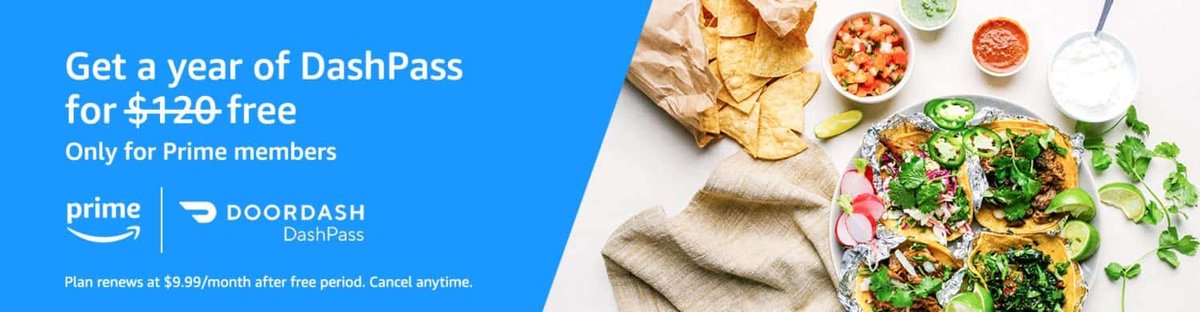
As a seasoned delivery app user and value-seeker, few phrases sound as sweet as "free subscription." And when it comes to DoorDash, grabbing DashPass Free Trials & Promotional Offers can feel like unlocking a cheat code for your daily cravings. This isn't just about saving a few bucks on delivery; it's about transforming your DoorDash experience into one of seamless convenience and significant savings.
If you're tired of watching delivery fees eat into your budget or seeing service charges pile up, understanding how to leverage these promotions is your golden ticket. We're going to dive deep, cutting through the fine print to show you exactly how to snag DashPass for free, how to make the most of it, and—crucially—how to avoid any surprise charges.
At a Glance: Your Quick Path to Free DashPass
- T-Mobile Customers: Eligible plans can get a full year of DashPass at no cost. Check your T-Life app now!
- Chase Cardholders: If you carry a Chase Sapphire Preferred or Reserve, you could qualify for up to two years of free DashPass.
- Lyft Users (New DashPass Subscribers): Linking your Lyft account can unlock three months of complimentary DashPass.
- Always Remember: These offers usually auto-renew into a paid subscription. Set a calendar reminder to cancel before your free period ends if you don't want to pay!
What Exactly is DashPass, Anyway? Your Passport to DoorDash Savings
Before we dive into the freebies, let's quickly touch on why DashPass is even worth considering. At its core, DashPass is DoorDash's subscription service designed to make frequent ordering more economical. Normally, it'll run you $9.99 per month or a slightly discounted $96 per year if you commit annually. But what do you get for that?
Think of it as a VIP pass for DoorDash:
- $0 Delivery Fees: The big one. For eligible orders from thousands of restaurants and stores, you'll wave goodbye to those pesky delivery fees.
- Reduced Service Fees: Beyond delivery, DashPass often cuts down the service fees that apply to your order, further padding your wallet.
- Members-Only Perks: Access to exclusive discounts and promotions just for DashPass subscribers.
- 5% Back in DoorDash Credits: For eligible pickup orders, you'll earn 5% of your subtotal back as DoorDash credits, which you can then apply to future orders.
Essentially, if you order delivery even a couple of times a month, DashPass can quickly pay for itself. But why pay when you can get it for free? Knowing how much is DashPass typically allows you to fully appreciate the value these free offers bring.
The Holy Grail: Your DashPass Free Trial & Promotional Opportunities
This is the main event. Here are the most prominent and reliable ways to get DashPass without opening your wallet, straight from the source.
T-Mobile's Sweet Deal: A Full Year of DashPass on the House
T-Mobile has consistently been a champion of customer perks, and their DashPass offer is one of the most generous: a full year of DashPass at absolutely no additional cost. This isn't a short trial; it's a substantial benefit that can save you nearly $100 over twelve months.
Who's Eligible for the T-Mobile Offer?
This promotion is primarily aimed at T-Mobile's premium plan subscribers, but it extends to many multi-line accounts too. You're likely eligible if you have one of these plans:
- Experience Beyond
- Experience More
- Go5G Next
- Go5G Plus
- Magenta MAX
- T-Mobile One with One+ plans
Additionally, customers on Go5G, Magenta, Magenta Plus, and T-Mobile ONE plans with two or more lines are also invited to claim this fantastic deal. T-Mobile makes these kinds of benefits a core part of their service, often highlighting them as an "Experience Beyond" just mobile connectivity.
How to Claim Your Free Year
Getting your free DashPass through T-Mobile is straightforward:
- Download the T-Life App: If you don't already have it, find the T-Life app (previously T-Mobile Tuesdays) in your smartphone's app store.
- Log In: Use your T-Mobile account credentials to log into the app.
- Navigate to Benefits: Once inside, look for the "Benefits" section. This is where T-Mobile houses all its exclusive customer perks.
- Find DashPass: Scroll through the available benefits until you spot the DashPass offer. It'll likely be prominently displayed.
- Save to My Stuff & Follow Prompts: Select the DashPass offer, choose "Save to My Stuff," and then follow the on-screen instructions which will guide you through linking your DoorDash account and activating your DashPass subscription. This usually involves a direct link to DoorDash.
Critical Considerations for T-Mobile Users
- Offer Expiration: The current offer is valid until August 4th. Don't procrastinate – mark your calendar to claim it before it's gone! T-Mobile does occasionally bring back similar offers, with a past indication of a possible return in July 2026, but never rely on future promises.
- Existing DashPass Users: This is a big one. If you're already paying for DashPass, don't worry! Redeeming the T-Mobile offer via the T-Life app will seamlessly transition you to the 12-month promotional period. DoorDash will then issue a prorated refund for any remaining balance on your existing paid subscription. This means you won't lose out on money you've already spent, making it a truly customer-friendly perk.
- Automatic Renewal — Your #1 Warning: Like almost all free trials, this one comes with an automatic renewal clause. Once your 12 months are up, DoorDash will automatically charge you the then-applicable annual rate for DashPass. To avoid this, you must remember to cancel your DashPass subscription before the promotional year concludes. We'll detail how to do this later, but for now, add a reminder to your digital calendar right after you activate the offer!
Chase Card Perks: Up to Two Years of Seamless Deliveries
Chase has a long-standing partnership with DoorDash, offering premium cardholders an excellent pathway to complimentary DashPass. If you carry certain Chase credit cards, you could be eligible for a substantial free DashPass period, ranging from one to two years.
Who's Eligible for the Chase Offer?
The primary cards that qualify for this benefit are:
- Chase Sapphire Preferred Cardholders: Typically receive one year of free DashPass.
- Chase Sapphire Reserve Cardholders: Often enjoy two years of free DashPass.
These cards are known for their travel and dining benefits, and a free DashPass subscription fits perfectly into that lifestyle. Chase regularly updates its card benefits, so it's always worth checking your specific card's terms for the most current offer details.
How to Claim Your Free DashPass with Chase
The activation process for Chase cardholders is beautifully simple:
- Add Your Eligible Chase Card to DoorDash: Make sure your Chase Sapphire Preferred or Reserve card is linked to your DoorDash account.
- Set as Default Payment: Crucially, you need to make this eligible Chase card the default payment option within your DoorDash profile.
- Activate in DashPass Section: With your card set as default, navigate to the DashPass section of the DoorDash app or website. You should see an option to activate your complimentary subscription.
The system automatically detects your card's eligibility and applies the corresponding free DashPass period. There’s no need for external apps or special codes.
Important Notes for Chase Users
- Ongoing Eligibility: Your DashPass benefit is usually tied to maintaining your eligible Chase card account in good standing. If you cancel your Chase card, your DashPass benefit may cease.
- New vs. Existing: Unlike the T-Mobile offer, which actively manages prorated refunds, the Chase offer tends to be more "set it and forget it" for the free period. However, the auto-renewal rule still applies here.
- Don't Forget to Cancel! Once your complimentary period ends (one or two years, depending on your card), your DashPass will automatically renew at the standard annual rate. Make sure to mark your calendar well in advance.
Lyft Link-Up: A Quick Three-Month Boost for Newbies
While not as long-term as the T-Mobile or Chase offers, the Lyft partnership provides an easy, quick win for those new to DashPass or looking for a short-term boost.
Who's Eligible for the Lyft Offer?
This particular offer is primarily geared towards new DashPass users. If you've never had a DashPass subscription before, this is an excellent way to dip your toes in the water for three months.
How to Claim Your Three Months Free
The process leverages the existing relationship between Lyft and DoorDash:
- Open Your Lyft App: Start by launching the Lyft application on your smartphone.
- Navigate to Partnerships/Rewards: Look for a section related to rewards, partnerships, or linked accounts. This might be under your profile or a dedicated 'Perks' tab.
- Find the DoorDash/DashPass Link: You should find an option to link your Lyft account with DoorDash and activate your DashPass benefit.
- Follow On-Screen Instructions: The app will guide you through linking your accounts and activating the three-month trial.
Key Takeaways for Lyft Users
- New Users Only: Reiterate this. If you've had DashPass before, even a trial, you might not qualify.
- Test the Waters: Three months is a perfect duration to truly evaluate if DashPass fits your ordering habits without a long-term commitment.
- Auto-Renewal Applies: Yes, even for three months, the auto-renewal clause is in effect. If you don't want to be charged, cancel before the three months are up!
Maximizing Your Free DashPass: Smart Strategies & Essential Reminders
Getting free DashPass is great, but truly maximizing its value requires a bit of strategy and discipline.
Timing is Everything: Stacking & Sequencing Your Offers
A common question is, "Can I stack these offers?" Unfortunately, the answer is usually no. DoorDash typically only allows one promotional DashPass subscription to be active on your account at a time. However, you can sequence them strategically.
- Start with the Longest (or Most Beneficial): If you qualify for the T-Mobile and a Chase offer, generally activate the one that gives you the most extended free period first. This ensures you get the maximum free service.
- Utilize Shorter Trials Later: The Lyft three-month offer is ideal if you're not eligible for the longer ones, or as a gap-filler if you have a break between longer promotions.
- Monitor Transitions: If you're moving from a T-Mobile year to a potential Chase year, ensure your T-Mobile DashPass is set to expire before you activate the Chase offer (by making the Chase card your default). This smooths the transition and prevents any accidental charges or overlap issues. DoorDash's system is smart, but human oversight is still key.
Don't Get Caught: The Crucial "Cancel Before You're Charged" Rule
This is, without exaggeration, the single most important piece of advice in this entire guide. Every single DashPass free trial or promotional offer will automatically convert to a paid subscription at the end of the free period unless you cancel it. DoorDash isn't trying to trick you; it's standard subscription practice. But it's your responsibility to avoid unwanted charges.
How to Set Yourself Up for Success:
- Immediate Calendar Reminders: The moment you activate any free DashPass trial, open your digital calendar (Google Calendar, Outlook, Apple Calendar) and set two reminders:
- Reminder 1 (1 Week Before Expiration): Title it "Review DashPass Subscription – Decide to Keep/Cancel."
- Reminder 2 (1 Day Before Expiration): Title it "FINAL CHANCE: Cancel DashPass!"
- Understand Your Expiration Date: Make a note of the exact date your free trial ends. This date is usually communicated during the activation process or can be found in your DashPass account settings within the DoorDash app.
- Know the Cancellation Process:
- Open the DoorDash app.
- Tap the Account icon (usually a person silhouette) in the bottom right corner.
- Select "Manage DashPass" or "DashPass Settings."
- Look for an option like "End Subscription," "Cancel Membership," or "Don't Renew."
- Follow the prompts to confirm your cancellation. You might be asked why you're canceling; your feedback helps them, but it won't prevent cancellation.
It's wise to cancel at least 24-48 hours before the actual expiration date to give the system time to process and avoid any last-minute issues. Remember, you can typically continue to use DashPass benefits until the very last day of your free trial, even after you've formally canceled the auto-renewal.
Beyond the Freebies: When to Consider Paying for DashPass
What if you've exhausted all your free trial options, or don't qualify for them? Is DashPass still worth it? Absolutely, for the right user.
Here's a simple way to assess if a paid DashPass subscription makes sense for you:
- Calculate Your Delivery & Service Fees: Over a typical month, how many times do you order from DoorDash? What are the average delivery and service fees you pay per order?
- The Breakeven Point: If DashPass costs $9.99/month, and your average delivery fee + service fee saving per order is $4-$5, then DashPass pays for itself in just 2-3 orders. If you order more than that, you're actively saving money.
- Consider Convenience & Credits: Beyond direct savings, think about the convenience of knowing you won't be hit with varying delivery fees, and the 5% back on pickup orders. These intangible and tangible benefits can add up.
If your usage doesn't justify the monthly or annual cost, then these free trials are perfect for occasional use, but don't feel pressured to subscribe. There are always other ways to save on DoorDash, like seeking out promotional codes or opting for pickup more often.
Common Questions & Clever Hacks for Your DashPass Journey
Let's tackle some frequently asked questions and offer a few additional tips to get the most out of your DashPass promotions.
Q: I already pay for DashPass. Can I still get a free trial from T-Mobile or Chase?
A: Yes, for the T-Mobile offer, you absolutely can! Activating the T-Mobile promotion will transition your existing paid subscription to the 12-month free trial, and DoorDash will issue you a prorated refund for any remaining days on your current paid subscription. For Chase, if you activate the offer by making your eligible card the default payment, it typically overrides or extends your current DashPass membership, but checking your Chase benefits portal for specific instructions is always best.
Q: What if my Chase card expires during the free trial period?
A: If the card tied to your DashPass benefit expires, you'll need to update your payment information in your DoorDash account with a new eligible Chase card (or another payment method). Failure to do so might interrupt your DashPass benefits or cause the subscription to revert to a standard paid membership if the system can't verify eligibility with an active card.
Q: Can I share my DashPass subscription with family or friends?
A: No, generally, DashPass is tied to a single DoorDash account and is intended for individual use. While you might use the account for orders placed by others in your household, the benefits are not designed to be shared across multiple independent accounts. Attempting to share login credentials could violate DoorDash's terms of service.
Q: Are there other ways to save on DoorDash if I don't qualify for these offers?
A: Absolutely!
- DoorDash Promo Codes: Always search for current promo codes online or check your email for personalized offers.
- Pickup Orders: Skip all delivery and service fees entirely by opting for pickup. Remember, DashPass gives you 5% back on these too!
- Restaurant-Specific Deals: Many restaurants offer their own deals directly through the DoorDash platform.
- Group Orders: Sometimes, grouping orders with friends or colleagues can dilute the delivery fee across multiple people.
Q: My free trial is ending, but I don't want to pay. How do I make sure I don't accidentally renew?
A: Set multiple reminders on your phone, calendar, or even a sticky note! Crucially, you can usually cancel your DashPass auto-renewal right after you activate a free trial. This way, you enjoy the benefits for the entire free period, and it will simply expire without charging you, removing any last-minute stress. Always check your DashPass settings for the exact expiration date and ensure the "auto-renew" option is turned off.
Your Personalized Path to DashPass Savings
Navigating the world of DashPass Free Trials & Promotional Offers might seem complex at first, but with the right information, it's incredibly empowering. You now have a clear roadmap to identify which offers you qualify for, how to activate them, and most importantly, how to maximize your savings without falling prey to automatic renewals.
Your next step is simple:
- Check Your Eligibility: Open your T-Life app, check your Chase card benefits, or see if your Lyft account offers the linking option.
- Activate Your Best Offer: Go for the longest or most suitable free trial first.
- Set Your Reminders: Immediately add those crucial cancellation reminders to your calendar.
Whether you're a T-Mobile loyalist, a savvy Chase cardholder, or a new DashPass curious user, there's likely a path to free deliveries and reduced fees waiting for you. Don't leave money on the table—unlock the full potential of DoorDash and enjoy your meals with a side of significant savings. Happy ordering!