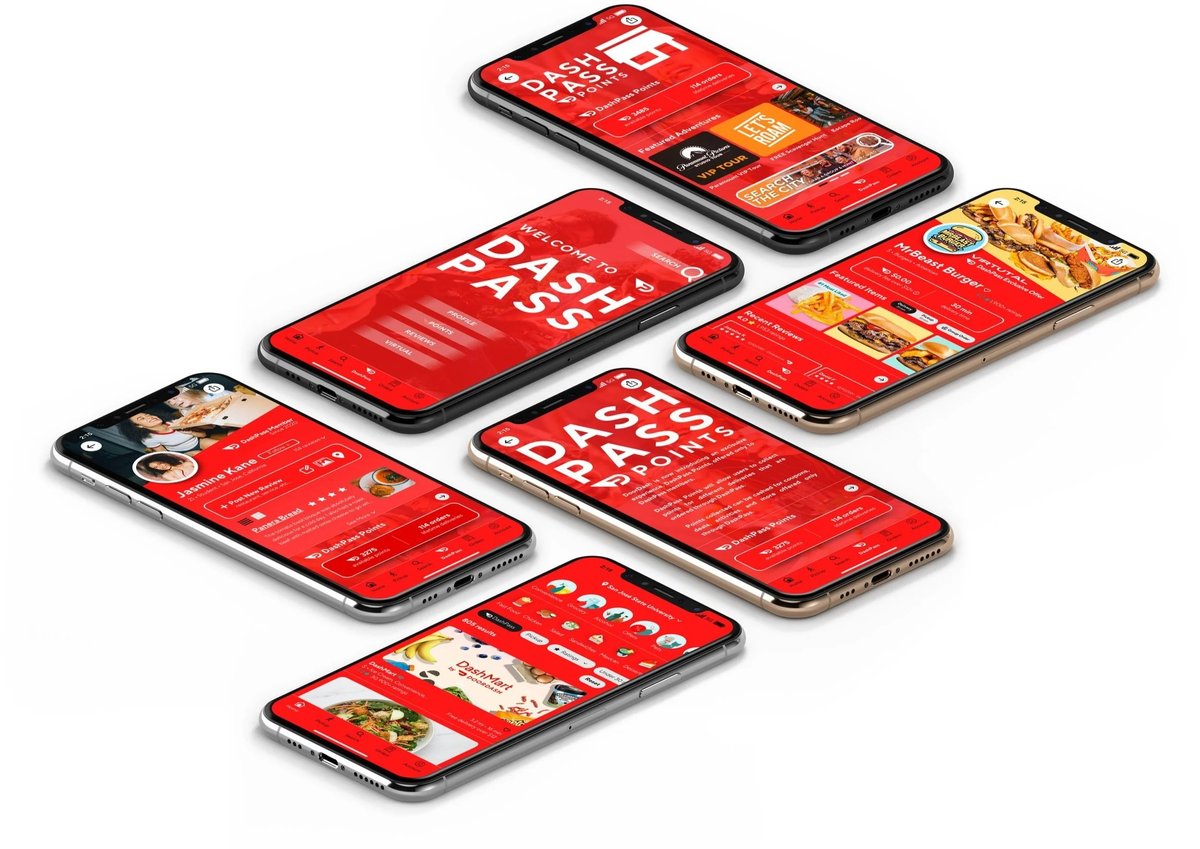
Navigating your digital subscriptions effectively is a key part of smart personal finance, and managing your DashPass subscription is no exception. Whether your dining habits have shifted, your budget needs adjusting, or you simply want to re-evaluate its value, knowing how to pause or cancel this popular service puts you in control. It's not just about clicking a button; it's about understanding the nuances of your billing cycle, avoiding unexpected charges, and making informed choices that genuinely benefit your wallet.
This guide is designed to walk you through every step, helping you confidently manage your DashPass so you can either take a break or say goodbye for good.
At a Glance: Your DashPass Management Checklist
- Cancel vs. Pause: Decide if you need a temporary break (pause) or a permanent discontinuation (cancel). Pausing lets you restart easily; canceling removes the subscription entirely.
- Timing is Key: Always aim to cancel or pause at least 24 hours before your next scheduled payment to avoid being charged for another billing cycle.
- Free Trial Nuance: If you cancel during a free trial, benefits typically end immediately. If you cancel a paid subscription, benefits usually continue until the end of your current billing cycle.
- Multiple Methods: You can manage DashPass directly through the DoorDash app, the DoorDash website, or by contacting customer support. The app/website methods are usually the fastest.
- Confirm, Confirm, Confirm: After initiating any change, verify your subscription status via email confirmation and by checking your account settings in the app or on the website.
- No Refunds for Unused Time: For paid subscriptions, DoorDash generally does not offer refunds for any unused portion of your billing period if you cancel early.
Understanding Your DashPass Membership: More Than Just Convenience
DashPass, DoorDash's subscription service, promises an elevated food delivery experience. At its core, it offers free delivery on eligible orders from thousands of participating restaurants, often coupled with reduced service fees. These perks can translate into significant savings if you're a frequent user and consistently meet the minimum subtotal required for eligible orders.
Your DashPass membership operates on a recurring billing cycle, typically monthly. When you subscribe, a set fee is charged to your account, granting you access to these benefits for the entire cycle. This setup means effective management isn't just about opting in; it's about consistently evaluating if the benefits align with your current needs. Changing dining habits, a tighter budget, or even just taking a vacation could mean that your DashPass isn't pulling its weight anymore, making it crucial to know your options for adjustment.
The Fork in the Road: Pausing vs. Canceling DashPass
When you're looking to hit the brakes on your DashPass, you essentially have two main options: pausing or canceling. Each serves a different purpose, and understanding the distinction is vital for making the right choice.
Why Choose to Pause? (The Temporary Break)
Pausing your DashPass is the ideal solution if you anticipate a short period where you won't be using the service much. Think about it like this:
- Vacation or Travel: Heading out of town for a few weeks? Pausing prevents charges while you're away and unlikely to order.
- Dietary Changes: Starting a new meal plan that reduces your takeout frequency? A temporary pause could bridge the gap.
- Budgeting: Need a short-term cutback on expenses but plan to resume DashPass soon? Pausing avoids the hassle of canceling and then re-subscribing.
When you pause, your DashPass subscription stops for a specified period, and you won't be charged during that time. Your benefits will also be inactive. Once the pause period ends, your subscription automatically resumes, and billing restarts. This makes it a flexible option for short-term adjustments without fully committing to ending your membership.
Why Choose to Cancel? (The Permanent Goodbye)
Canceling your DashPass, on the other hand, is a more definitive move. You're effectively telling DoorDash that you no longer wish to subscribe to the service. This is usually the right choice if:
- Infrequent Use: You realize you're simply not ordering enough to justify the monthly fee, even after considering how much is DashPass actually costs and the potential savings.
- Budgetary Constraints: You need to permanently cut discretionary spending.
- Alternative Services: You've found another food delivery service or method that better suits your needs or offers better value.
- Unsatisfied with Service: The benefits no longer align with your expectations or eligible restaurants are few in your area.
When you cancel, your subscription will officially end, and no further recurring charges will be made. The critical difference from pausing is that your benefits will continue until the end of your current billing cycle (unless you're in a free trial, where benefits usually end immediately). After that, you'll need to actively resubscribe if you decide you want DashPass again in the future.
How to Pause Your DashPass Subscription
While the primary focus of this article is cancellation, knowing how to pause is a valuable option. The steps are usually straightforward:
- Open the DoorDash App or Website: Log into your account.
- Navigate to Account Settings: Look for your profile or account icon.
- Find "Manage DashPass": Select this option to view your subscription details.
- Choose to Modify/Pause: Look for an option like "Modify Subscription," "Pause Membership," or similar wording.
- Follow the Prompts: You'll likely be asked to select a duration for the pause. Confirm your choice.
DoorDash will confirm the pause, and you'll typically receive an email detailing the pause period and when your subscription is set to resume.
Taking the Plunge: Step-by-Step DashPass Cancellation
Decided to cancel? Excellent. The process is designed to be user-friendly, allowing you to discontinue your DashPass membership through various convenient methods. The most crucial detail to remember is to initiate your cancellation at least 24 hours before your next scheduled payment to avoid being charged for another cycle.
Canceling Via the DoorDash App (Your Smartphone Companion)
This is often the quickest and most common way to cancel, perfect for when you're on the go.
- Launch the DoorDash App: Open the DoorDash app on your iPhone or Android device.
- Tap the Account Icon: Look for the person-shaped icon, usually located in the top-left corner of the screen. This will open your account menu.
- Select "Manage DashPass": Within your account options, you'll see a section specifically for DashPass. Tap on it.
- Choose "End Subscription": On the "Manage DashPass" page, you'll find an option to "End Subscription" or "Cancel Membership." Tap this.
- Follow the Prompts to Confirm: DoorDash may ask you to confirm your decision, potentially offering alternatives or asking for a reason for cancellation. Proceed through these prompts until you receive a final confirmation.
Important Note: If you're canceling a free trial, your benefits will often end immediately. For paid subscriptions, your benefits will typically continue until the end of your current billing cycle, ensuring you get the full value of what you've already paid for.
Canceling Through the DoorDash Website (For Desktop Users)
If you prefer using a computer or encounter issues with the app, the DoorDash website provides a similarly straightforward cancellation process.
- Visit the DoorDash Website: Open your web browser and go to DoorDash.com.
- Log into Your Account: Enter your credentials to access your DoorDash account.
- Click the Menu Icon: Look for the three horizontal lines (often called a "hamburger icon") usually located in the top-left corner of the webpage. Click this to open the main menu.
- Select "Manage DashPass": From the dropdown menu, click on "Manage DashPass."
- Click "Cancel Membership": On the DashPass management page, find and click the "Cancel Membership" button.
- Follow Subsequent Prompts: Just like with the app, you'll be guided through a series of confirmation steps. Complete these to finalize your cancellation.
Once again, remember the 24-hour rule to prevent unwanted charges for the next billing cycle.
Getting Human Help: Contacting Customer Support
While the app and website are the most efficient methods, sometimes you might prefer speaking to a person, or perhaps you've encountered an issue. DoorDash's customer support can also assist with DashPass cancellations.
- Email Support: Send a detailed message to DoorDash's customer support email. Be sure to include your account information (email address, phone number associated with the account) and clearly state your request to cancel your DashPass subscription.
- Phone Call: Locate DoorDash's customer support phone number (often found in the app's help section or on their website) and call directly. Have your account details ready for verification.
Considerations for Customer Support: While helpful, phone support may be subject to operating hours, and processing cancellation requests via email or phone can sometimes take longer than the immediate actions available within the app or website. It's always best to try the self-service options first if possible, especially when time is of the essence (like nearing your billing date).
Beyond the Button: What Happens After You Cancel DashPass?
Pressing that "cancel" button isn't always the very last step. To ensure a smooth transition and avoid any surprises, it's crucial to understand what unfolds after you've initiated your DashPass cancellation.
Your Benefits Window: When Do Perks End?
This is a common point of confusion. The timing of your benefit termination depends on your subscription status:
- During a Free Trial: If you cancel your DashPass during a free trial period, your DashPass benefits (free delivery, reduced service fees) typically end immediately. This means you won't be able to use DashPass perks for any orders placed after cancellation.
- Paid Subscription: If you cancel a paid DashPass subscription, your benefits will generally continue until the end of your current billing cycle. For example, if you pay monthly and cancel halfway through the month, you'll still enjoy DashPass benefits for the remaining two weeks. This ensures you receive the full value for the period you've already paid for. After that billing cycle concludes, your DashPass membership will officially cease.
Refunds & Charges: Mind Your Money
When you cancel, your financial liability comes into sharp focus:
- No Refunds for Unused Time: For paid subscriptions, DoorDash's policy generally states that no refund is provided for the unused portion of a billing cycle if you cancel after the free trial period. Your benefits simply run their course until the billing cycle concludes.
- Preventing Future Charges: The golden rule remains: cancel at least 24 hours before your next scheduled payment date. This is your most effective way to prevent any further charges from appearing on your credit card or payment method.
- Outstanding Service Fees: Keep an eye on your credit card statements. If you had any outstanding service fees from eligible orders placed before cancellation, those will still be processed according to DoorDash's terms. Canceling DashPass only stops the recurring membership fee, not previously incurred order-related charges.
Confirming Your Cancellation: Peace of Mind
To truly have peace of mind that your DashPass subscription has been successfully canceled, always take these verification steps:
- Check Your Email: DoorDash should send you a cancellation confirmation email shortly after you complete the process. This is your primary proof of cancellation. If you don't see it, check your spam or junk folder.
- Verify In-App/On Website:
- Open the DoorDash app or visit the website and log into your account.
- Navigate back to the "Account" section.
- Go to "Manage DashPass."
- Your subscription status should reflect that it is either canceled or set to expire at the end of the current billing cycle.
If the status still indicates your subscription is active, or if you haven't received an email, it's wise to repeat the cancellation process or reach out to DoorDash customer support for assistance. Don't assume it went through without confirmation.
DashPass Decision Matrix: When is it Right to Cancel?
Deciding to cancel your DashPass isn't always a cut-and-dried decision. It involves weighing the value you're getting against the recurring cost. Here's a framework to help you make an informed choice:
Factors to Consider:
- Frequency of Orders: Are you ordering delivery regularly (multiple times a week)? Or has your ordering dwindled to once a month, or even less? If you're not using it often, the monthly fee might outweigh any savings.
- Minimum Subtotal Requirements: DashPass benefits only apply to orders that meet a certain minimum subtotal. Are your typical orders consistently hitting that mark? If you often place smaller orders, you might not be fully leveraging the benefits.
- Delivery Fees vs. Subscription Cost: Do the cumulative delivery fees you'd pay without DashPass exceed the monthly subscription cost? For instance, if DashPass costs $9.99 a month, and you only order once, paying a $3.99 delivery fee, you're not saving money. You'd need to order at least three times (assuming similar delivery fees) to break even, and even more to realize true savings.
- Availability in Your Area: Have the number of eligible restaurants in your delivery zone decreased, or are your favorite spots no longer participating?
- Alternative Services & Options: Are you also using other food delivery apps that offer similar benefits, or have you discovered local restaurants with their own direct delivery, removing the need for third-party services? Perhaps you're opting for pickup more often.
- Your Current Budget: Is the DashPass fee an essential expense, or a discretionary one that could be reallocated to other financial goals?
Red Flags That Signal It's Time to Cancel:
- "Set it and Forget It" Syndrome: You realize you haven't thought about your DashPass membership in months, and it's just been auto-renewing.
- Guilt-Induced Ordering: You find yourself placing orders you wouldn't otherwise, just to "make the most" of your DashPass, thereby spending more overall.
- Ignored Emails: DoorDash sends out monthly "You saved X amount this month with DashPass" emails, and your savings are consistently low or non-existent compared to the membership fee.
- Changing Lifestyle: You've started cooking more, eating out at restaurants directly, or simply cutting back on takeout for health or financial reasons.
By honestly assessing these factors, you can determine if your DashPass membership is truly providing value or if it's become an unnecessary recurring expense.
Common Questions & Smart Moves for DashPass Users
Even after covering the basics, a few lingering questions often surface. Here are answers to some common inquiries and smart strategies for managing your DashPass, and indeed, all your subscriptions.
Can I reactivate my DashPass subscription later?
Yes, absolutely! Canceling your DashPass is not a permanent ban from the service. If your circumstances change and you decide you want DashPass benefits again, you can easily resubscribe through the DoorDash app or website at any time. Your account history and preferences will remain intact.
What if I forget to cancel my free trial?
Forgetting to cancel a free trial before it converts to a paid subscription is a common pitfall. If you are charged, you can still cancel immediately using the steps outlined above. However, DoorDash's policy states that no refund is provided for unused time after the free trial period. This means you'll likely be charged for the first full billing cycle, but your benefits will continue until the end of that cycle. To avoid this, set calendar reminders a few days before your trial ends!
Does canceling DashPass affect my main DoorDash account?
No, canceling your DashPass subscription only affects the premium membership benefits. Your regular DoorDash account, including your saved addresses, payment methods, order history, and credits, will remain active and fully functional. You can continue to place orders on DoorDash as a standard user, paying regular delivery and service fees.
Are there alternatives to DashPass?
Many food delivery platforms offer their own subscription services (e.g., Uber Eats Pass, Grubhub+). If you frequently use a different platform, exploring their options might be beneficial. Beyond subscriptions, consider:
- Restaurant Direct Delivery: Many local eateries offer their own delivery services, often with lower fees, or even free if you're close enough.
- Pickup Orders: Picking up your food directly from the restaurant always saves you delivery fees and tips.
- Cooking at Home: The most cost-effective "alternative" is often preparing your own meals.
Pro Tips for Smarter Subscription Management:
- Regular Audits: Periodically (e.g., quarterly) review all your recurring subscriptions. Are you still using them? Are they providing enough value?
- Use a Subscription Manager App: Several apps can help you track all your subscriptions, their billing dates, and costs, sending you reminders before renewals.
- Check Credit Card Statements: Regularly reviewing your bank or credit card statements can help you catch recurring charges for services you may have forgotten about or no longer use.
- Consolidate: If you have multiple delivery service subscriptions, consider if one is enough to meet your needs.
Your Path Forward: Taking Control of Your Delivery Costs
Whether you're pausing for a season or canceling for good, effectively managing your DashPass subscription empowers you to take direct control over your discretionary spending. It's a testament to the idea that small, consistent actions can lead to significant financial improvements. By understanding your options, knowing the precise steps, and being mindful of those critical billing dates, you can ensure your hard-earned money is always working for you, not against you.
So, go ahead. Open that DoorDash app or website, confidently navigate to your account settings, and make the choice that best suits your lifestyle and your budget today. Your wallet will thank you.